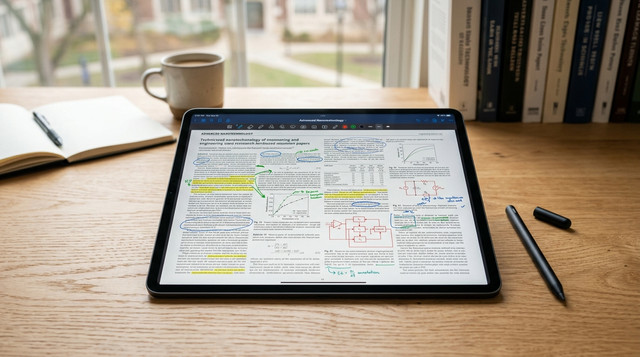
Drawboard PDF is positioning itself as a primary solution for students managing heavy document loads in 2026. The platform specifically targets the need for high-fidelity markup on digital textbooks and lecture slides, rather than just simple text capture.
The Story
According to Drawboard, its 2026 feature set focuses on the professional-grade annotation of PDF documents, a specialized niche in the broader student productivity market. The platform allows users to pin custom tools to a favorites bar, facilitating rapid switching between highlighters, pens, and geometric shapes during live lectures. Drawboard reports that its ink engine is designed to mimic the feel of physical writing, which remains a priority for academic retention. While other apps like Microsoft OneNote and Apple Notes emphasize freeform canvas or card-based layouts, this tool centers entirely on the PDF as the primary workspace.
Why It Matters
For students, the choice of Drawboard PDF represents a shift toward specialized utility over general-purpose note-taking. While Microsoft OneNote offers a flexible digital notebook, it often struggles with the precise formatting required when marking up complex academic diagrams or engineering plans. By prioritizing the PDF format, Drawboard ensures that students can maintain document integrity across different devices without the layout shifts common in text-heavy applications.
The Detail That Stood Out
"Drawboard PDF is a powerful PDF annotation and markup tool that’s a favorite among students, especially those in STEM fields."
Read More
The original guide outlines the specific advantages of Drawboard PDF alongside other leading tools for academic use.



No comments:
Post a Comment